Arrange tables
Plan tables and seats in the interactive planner.
Help guests view tables and find their seats quickly.
Make arrival easier by giving guests a clear way to check the seating arrangement. The guest-facing seating chart connects your planned table layout with a simple way to find a place.
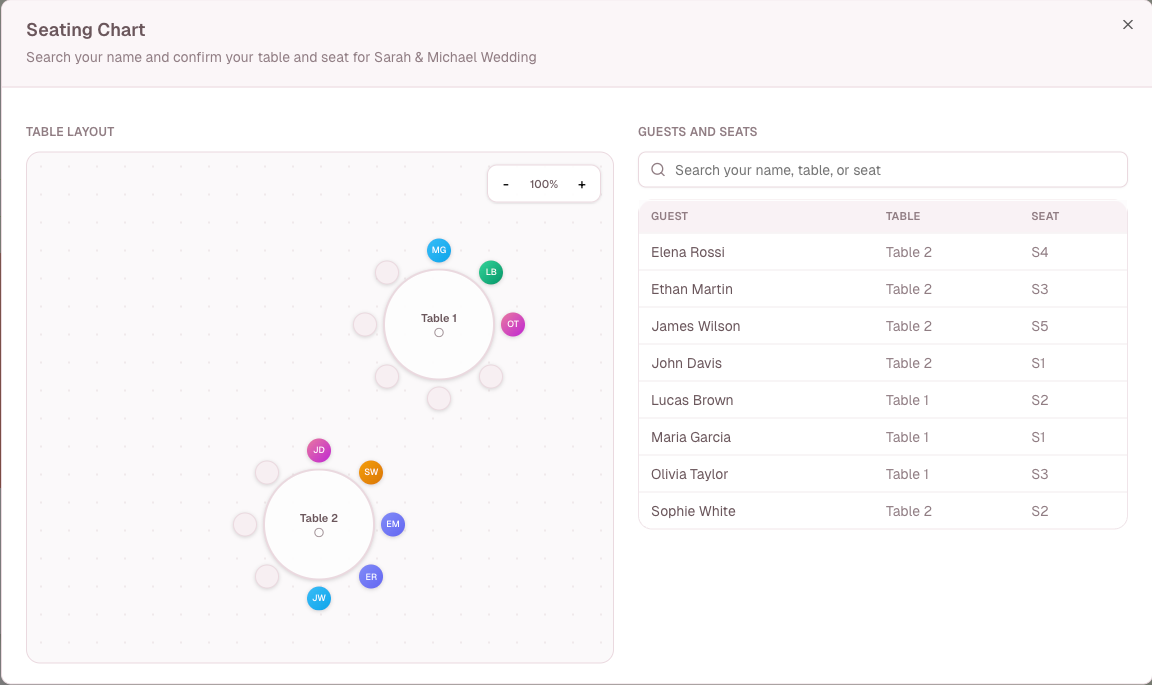
A closer look at guest seating chart view.
Made for real event planning
Memorama brings practical tools together, so the details stay organized before the celebration and the moments stay close afterward.
Simple workflow
Plan tables and seats in the interactive planner.
Connect each guest to the appropriate table and seat.
Let guests open the seating chart when they arrive.
FAQ
Yes. It presents the seating arrangement configured for the event.
No. Seating assignments are managed by event organizers.
Yes. The table planner and guest seating view are part of the event-management tools.
Explore more
From first invite to final memories
Start planning for free, then bring guests, logistics, and memories into one place.
Start planning for free